
How to Save Money on Technology and Make Devices Last Longer

Share

Smarter Tech Spending: How to Save Money and Avoid Unnecessary Upgrades
Replacing your phone, smartwatch or laptop every year can drain your savings, even when your current devices still meet your everyday needs. Constant upgrades create unnecessary expenses and leave less money for priorities that matter more. The challenge is finding reliable technology that lasts without overspending. Understanding smarter upgrade decisions, the benefits of refurbished devices and the principles of circular electronics can help you get more value from every purchase.
Rethink the Annual Upgrade Cycle
Start each upgrade decision with a clear list of problems your current device causes. Slow performance during everyday tasks, missing security updates, expensive repairs and poor battery health are valid reasons to consider a replacement. A new colour, a small camera improvement or a feature you’re unlikely to use rarely justifies the full cost.

Consumers are already keeping devices for longer. Analysis of longer phone upgrade cycles points to a shift away from frequent replacement as improvements between generations become less dramatic. A two- or three-year-old phone can still run messaging, banking, navigation and productivity apps effectively.
Calculate ownership cost before buying. Divide the purchase price by the number of years you expect to use the item, then include likely repairs and accessories. A £900 phone kept for four years costs £225 a year before those extras. Replacing it after two years doubles the annual hardware cost.
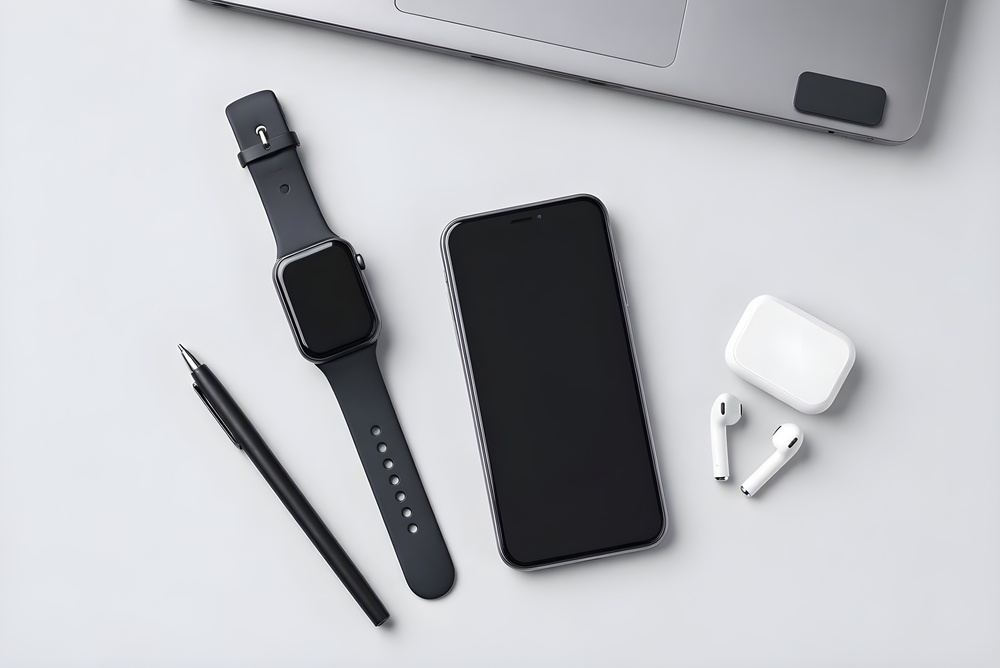
The same test works for wearables. If you need activity tracking, notifications and contactless payments, a refurbished Apple Watch may cover those needs at a lower purchase price. The available devices are restored and tested, with a 12-month warranty, free two-day shipping and free 30-day returns. Those terms give you a practical window in which to check comfort, battery performance and compatibility.
Before replacing any device, try a software update, remove unused apps and check the price of a battery service. A modest fix may delay a much larger expense.
The Rise of Circular Electronics
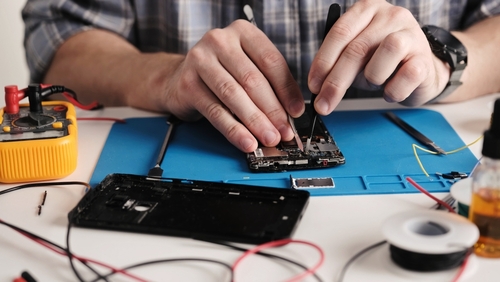
Circular electronics keep devices and components in productive use for longer. Instead of treating last year’s model as waste, the circular approach supports repair, refurbishment, resale and responsible recycling. For buyers, that creates more choice between an expensive new product and an ageing device that no longer works properly.
A refurbished product has usually been inspected, cleaned, tested and restored for resale. A used product sold privately may come with fewer checks and limited recourse if a fault appears. Neither label guarantees quality on its own, so you still need to examine the seller’s testing process and returns policy. The same principle applies when buying other pre-owned goods, as this guide to choosing quality second-hand products explains through its advice on checking condition, authenticity, seller reputation and warranty protection.
The wider circular economy for electronics also raises a useful question about how many separate devices you need. A smartwatch that handles exercise tracking, timers and notifications may remove the need for several small single-purpose gadgets. Equally, a laptop with enough memory for work and entertainment could be better value than separate low-cost machines that each do one task poorly.
Evidence on electronics reuse trends shows why extending product life matters. Reuse can reduce demand for new manufacturing while keeping working equipment out of the waste stream.
Create your own circular routine at home. Sell or trade in devices while they still work, remove personal data correctly and take broken electronics to an approved recycling point. Store spare charging cables neatly, but recycle outdated accessories you’ll never use. This turns unwanted technology into value instead of drawer clutter.
Secure Warranties and Certified Testing
Treat the warranty and testing details as part of the product, not paperwork to review after payment. A low headline price can quickly lose its appeal if the device arrives with weak battery life, damaged buttons or a fault that the seller refuses to cover.
Read the warranty length and exclusions before ordering. Check who pays for return delivery, how repairs are arranged and whether the seller may replace the device with an equivalent model. You should also confirm when the warranty starts and keep the order email, invoice and serial number in one folder.
Testing standards deserve similar attention. A credible refurbishment process should examine core functions such as charging, battery performance, wireless connections, cameras, microphones, speakers, buttons and sensors. Cosmetic grades usually describe visible condition, so don’t assume that a top cosmetic grade automatically means better internal performance. Ask what each grade covers.
Once the device arrives, test it during the return period:
- Charge it fully and monitor battery drain during ordinary use
- Connect it to Wi-Fi, Bluetooth and any companion apps
- Check the screen at several brightness levels
- Test buttons, speakers, microphones and charging ports
- Confirm that the storage capacity and model match the listing
- Look for unexpected account locks or setup restrictions
Run these checks early instead of waiting until the final day of the returns window. If something seems wrong, record the issue with photographs or a short video and contact the seller in writing. Clear evidence and a dated message make the return process easier to manage.
A small saving from an untested marketplace listing may carry more risk than a slightly higher price from a seller that publishes warranty, testing and return information clearly.
Balance Longevity With Price
The cheapest device may cost more over time if limited storage or short software support leads to early replacement. Meanwhile, expensive models may offer features you rarely use. Choose a device with enough capacity to meet your needs for the next few years without overspending.
Start with three priorities: essential tasks, expected lifespan, and total budget. For example, a laptop may need to handle video calls, office documents, and basic photo editing for four years. A phone may require reliable battery life, a good camera, and at least three years of security support.
Market reporting on consumer electronics trends reflects continued demand across connected devices, wearables and personal computing. More choice can help buyers, but it also makes feature lists harder to compare. Focus on specifications tied to your real use, such as battery condition, supported software, storage and repair options.

Set aside part of the budget for ownership costs. A protective case, screen cover or suitable laptop sleeve can prevent an avoidable repair. Cloud storage, replacement chargers and subscription services also belong in the calculation. A £500 device with £150 of annual subscriptions has a very different cost profile from its shelf price.
Timing matters too. Buy when your current device shows clear signs that replacement is approaching, but before a complete failure forces a rushed choice. Keep a small technology fund and add a fixed amount each month. Saving £25 a month creates £600 over two years, which gives you room to compare new, refurbished and repair options without relying on an emergency purchase.
Your next device should earn its place through useful years of service. Record the purchase date, warranty deadline, and expected support period when it arrives, then review its performance once a year. That simple record makes the next upgrade a planned expense based on evidence, not an automatic reaction to a product launch.